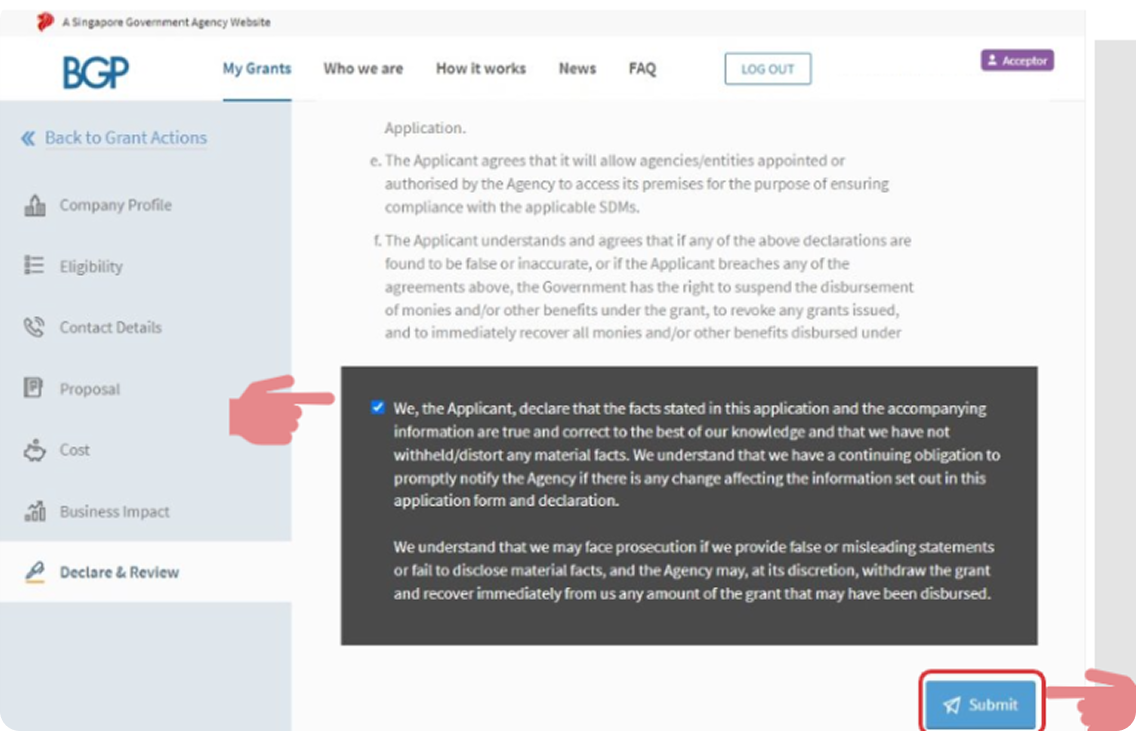
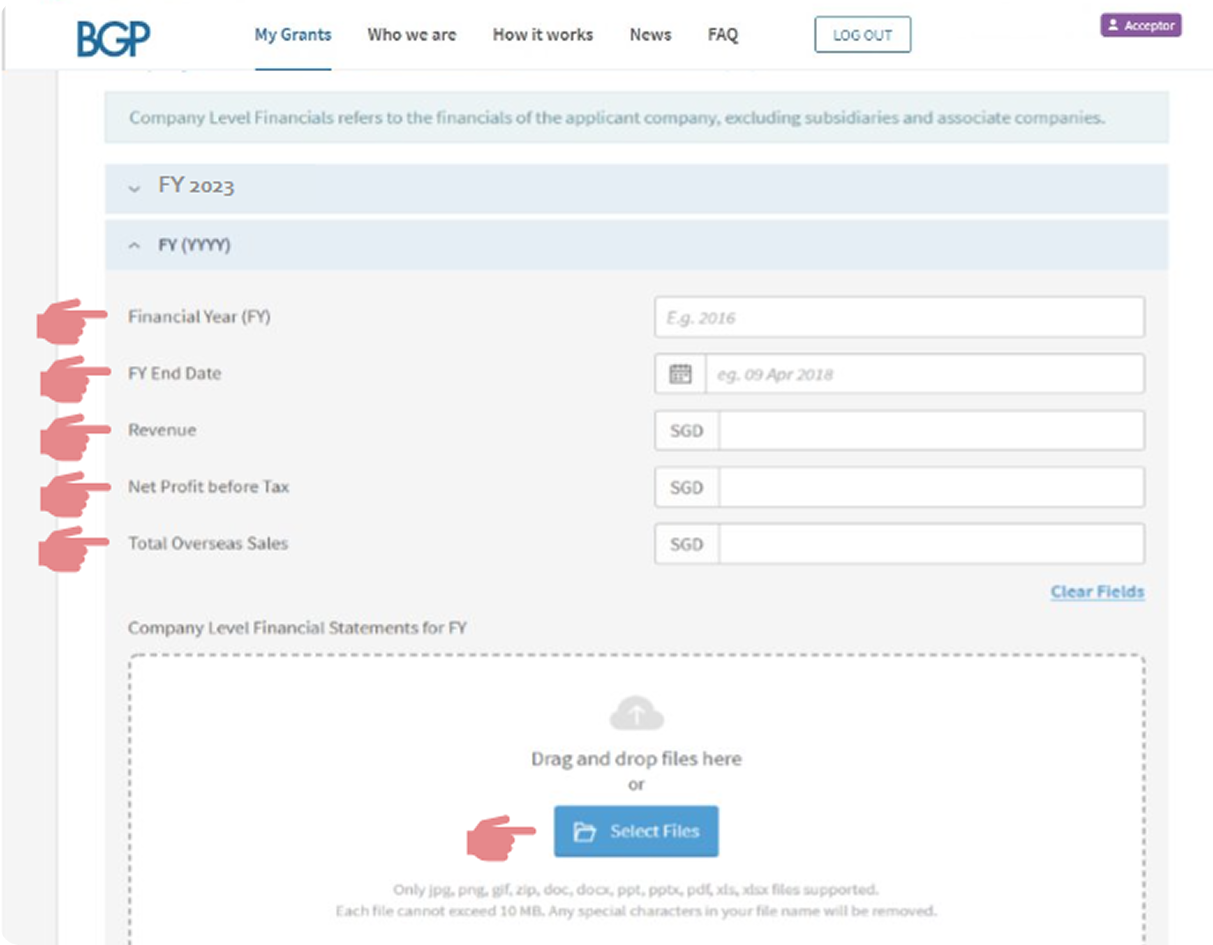
Step-by-Step Guide for PSG Application via the Business Grants Portal
After getting a quotation from us, you may follow the guide below to apply for the Productivity Solutions Grant to receive up to 50% government subsidy for your digital solutions.
If you have questions on the application process, please contact your consultant. Alternatively, you may contact us via WhatsApp +65 8513 0578 or info@groundup.ai.
Getting Ready
Your company’s UEN, CorpPass ID and password for login to the Business Grants Portal
Website www.businessgrants.gov.sg
Vendor quotation for HREasily (Unsigned)
Latest financial statements available
Key financial indicators (in SGD) such as:
Revenue
Net Profit before Tax
Overseas Sales (if applicable)
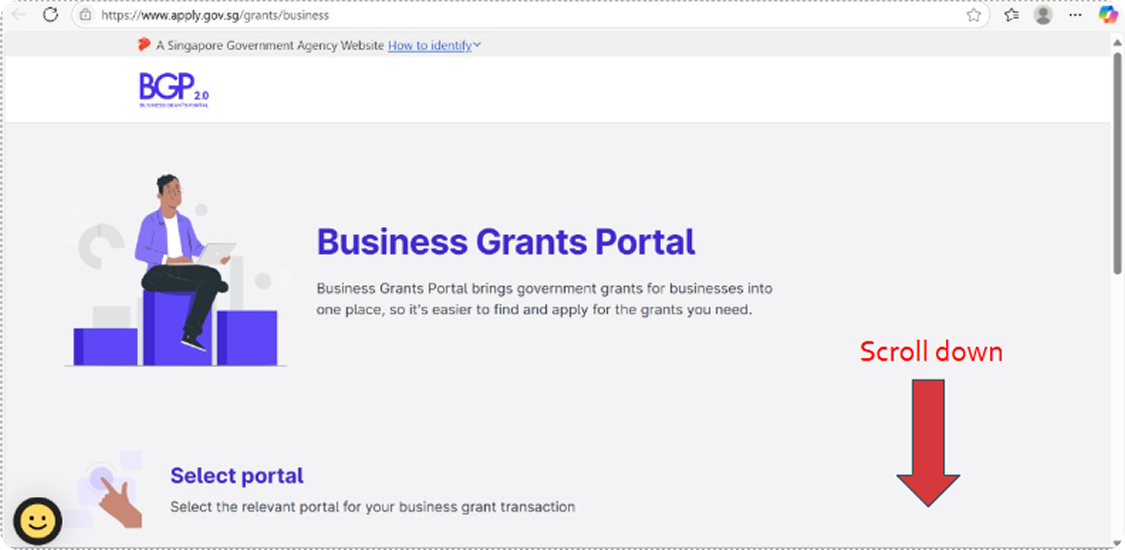
1. Open the Business Grants Portal:
www.businessgrants.gov.sg
Scroll down from this page
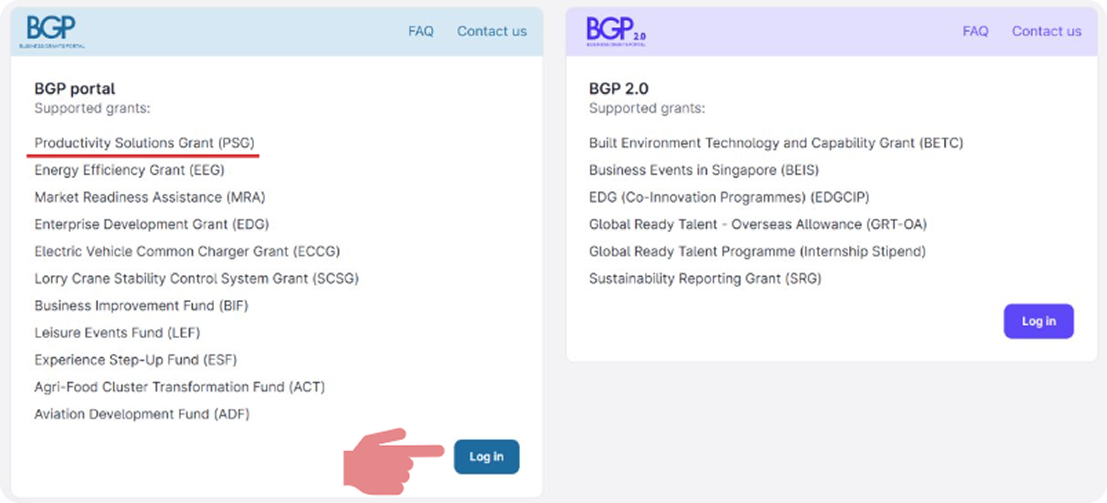
2. Select your Portal & Login with Corppass
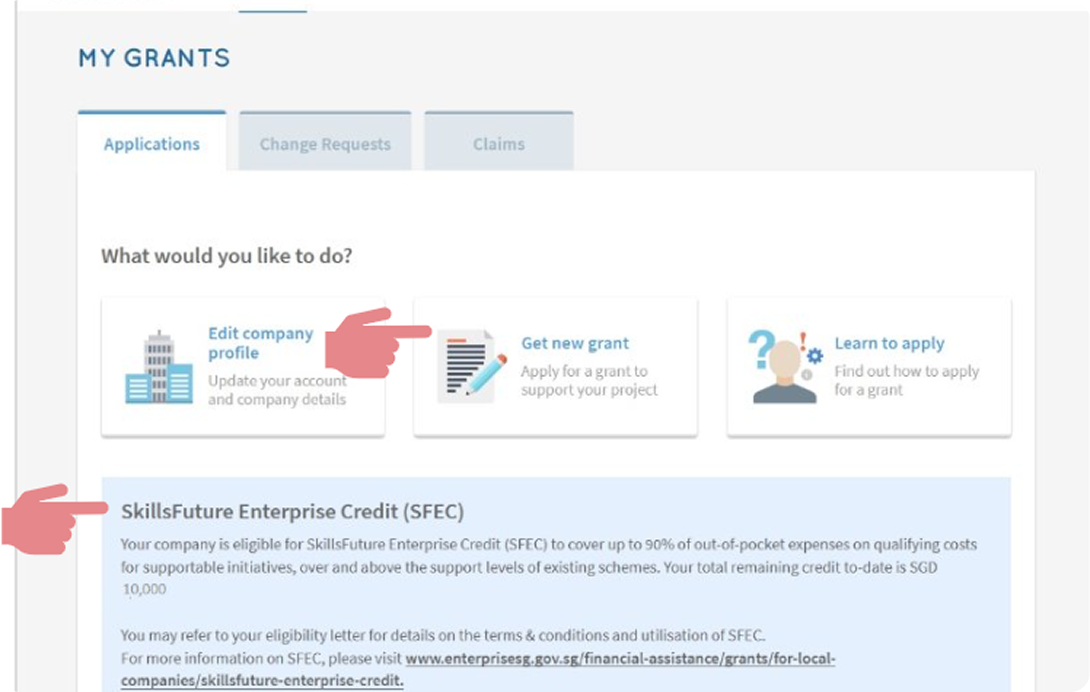
3. Click “Get new grant” to apply for PSG
Note: If your company is eligible to SFEC, you will see the below notification
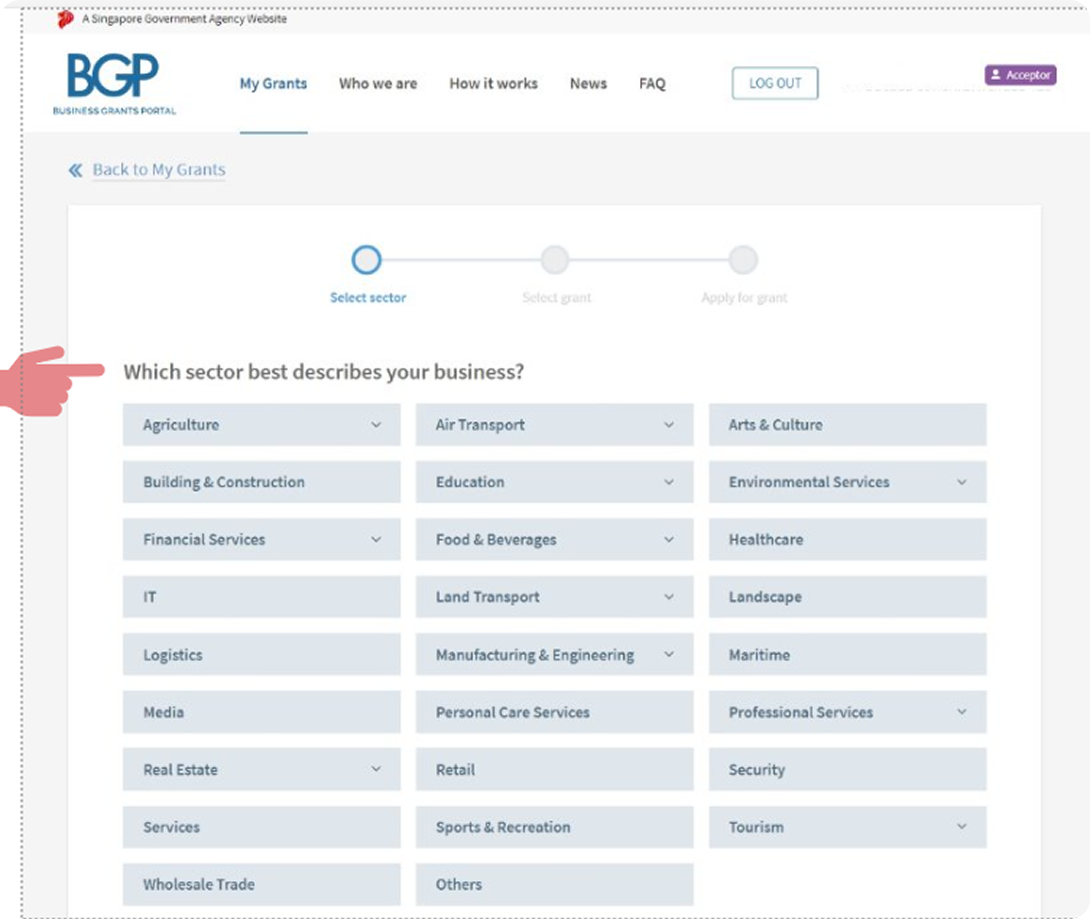
4. Select your company’s business sector
If you are unsure of your business sector, please search your entity name in the below website: https://www.bizfile.gov.sg/
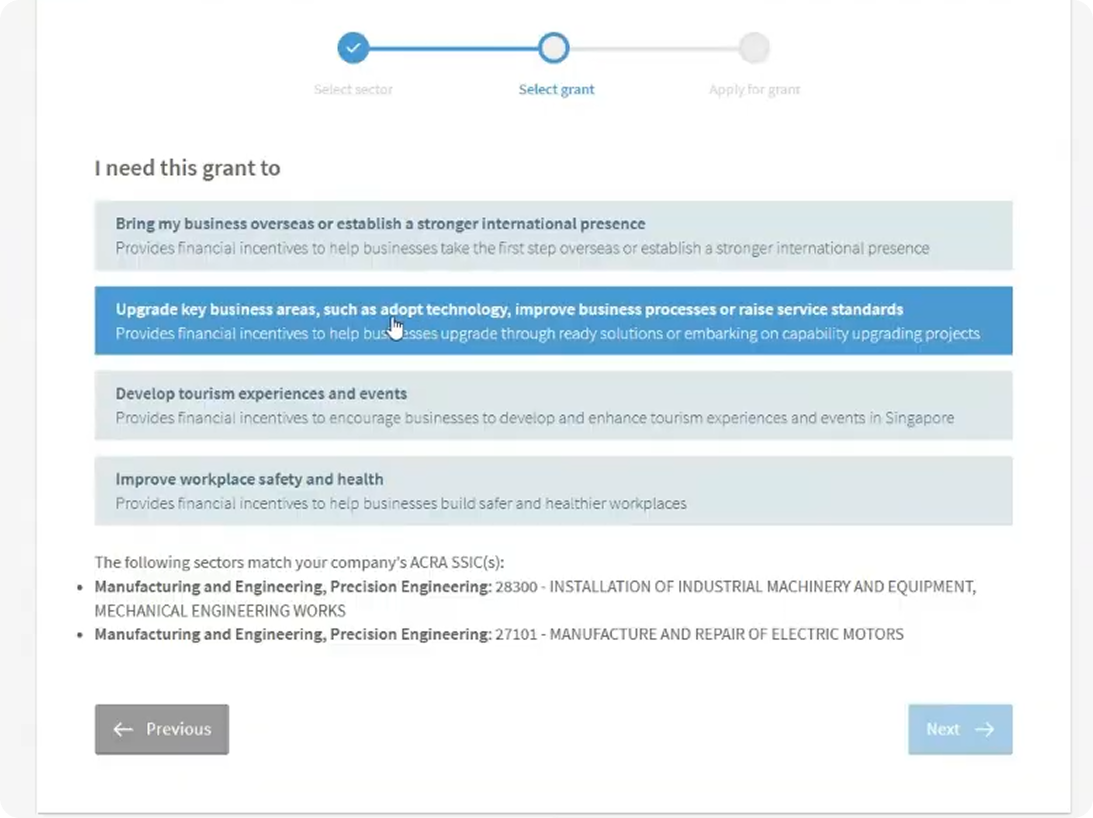
5. Select the 2nd option
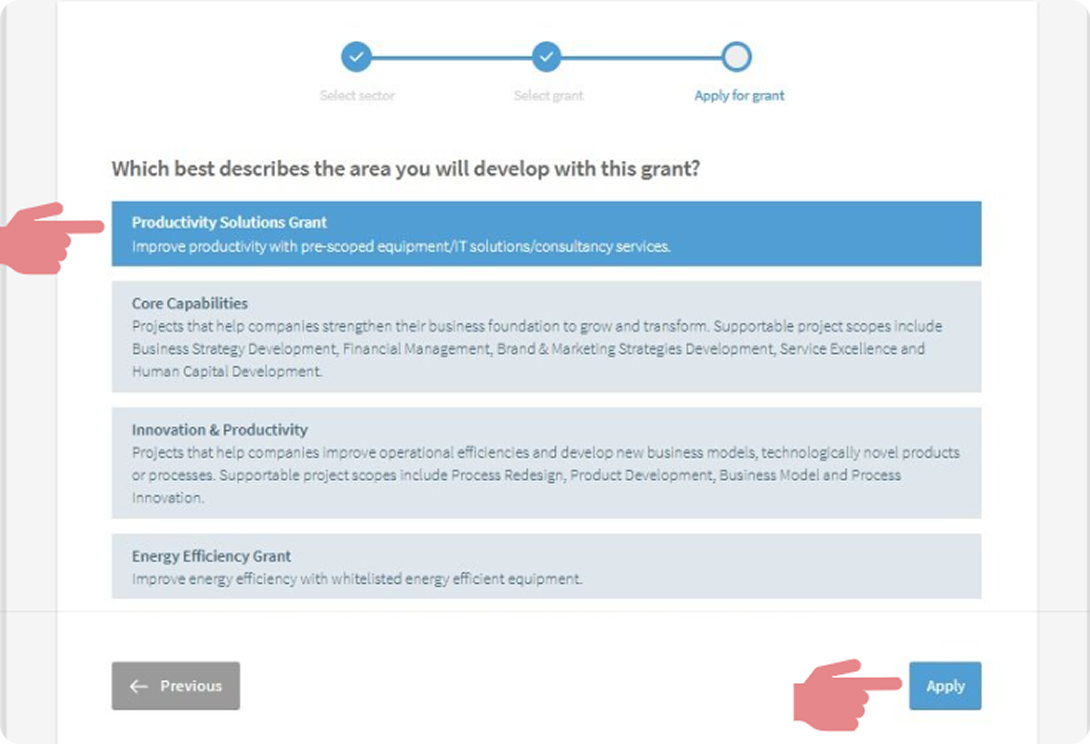
6. Select the 1st option
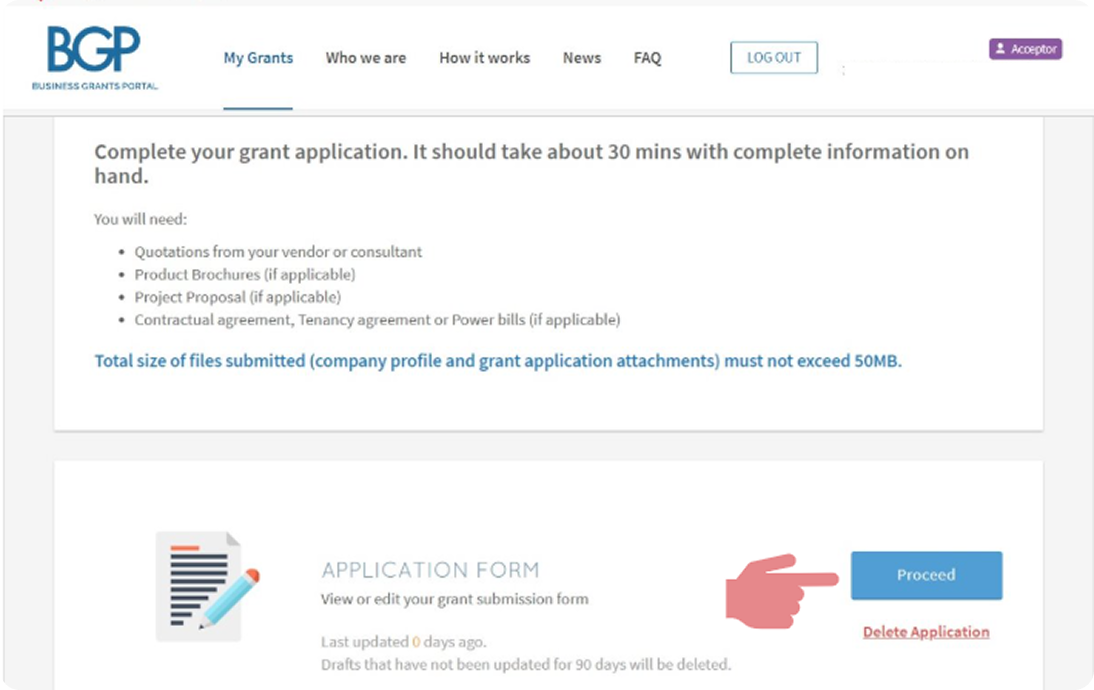
7. Click on "Proceed"
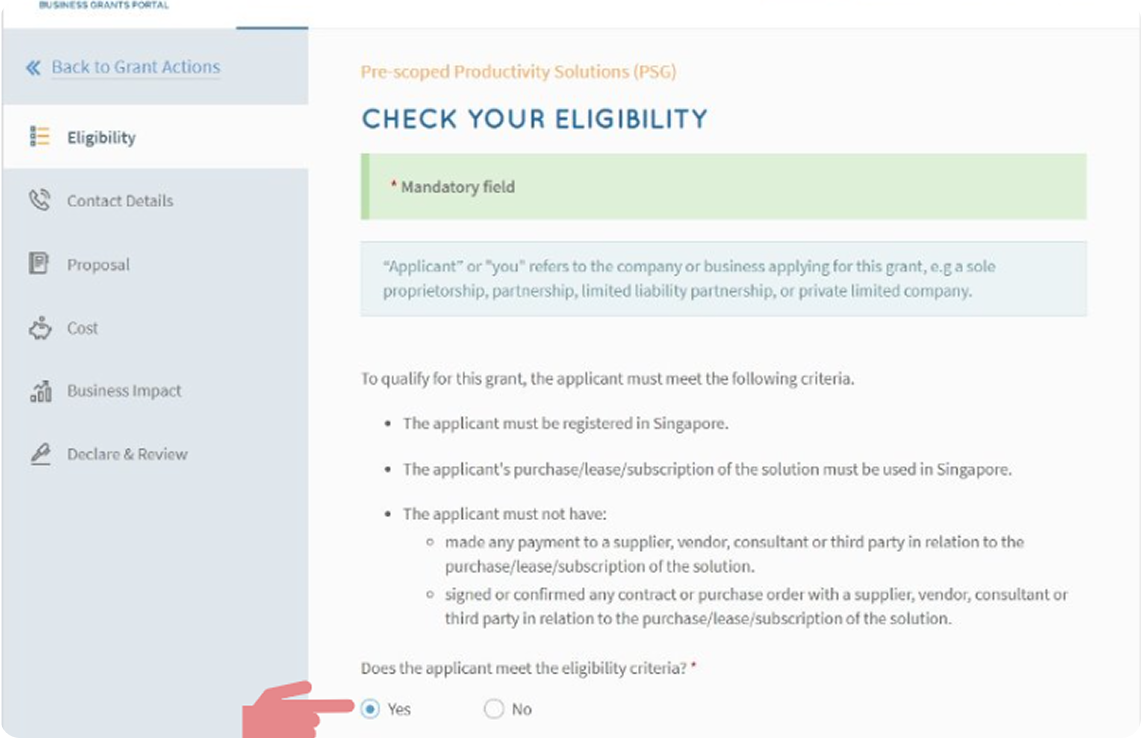
8. Confirm eligibility
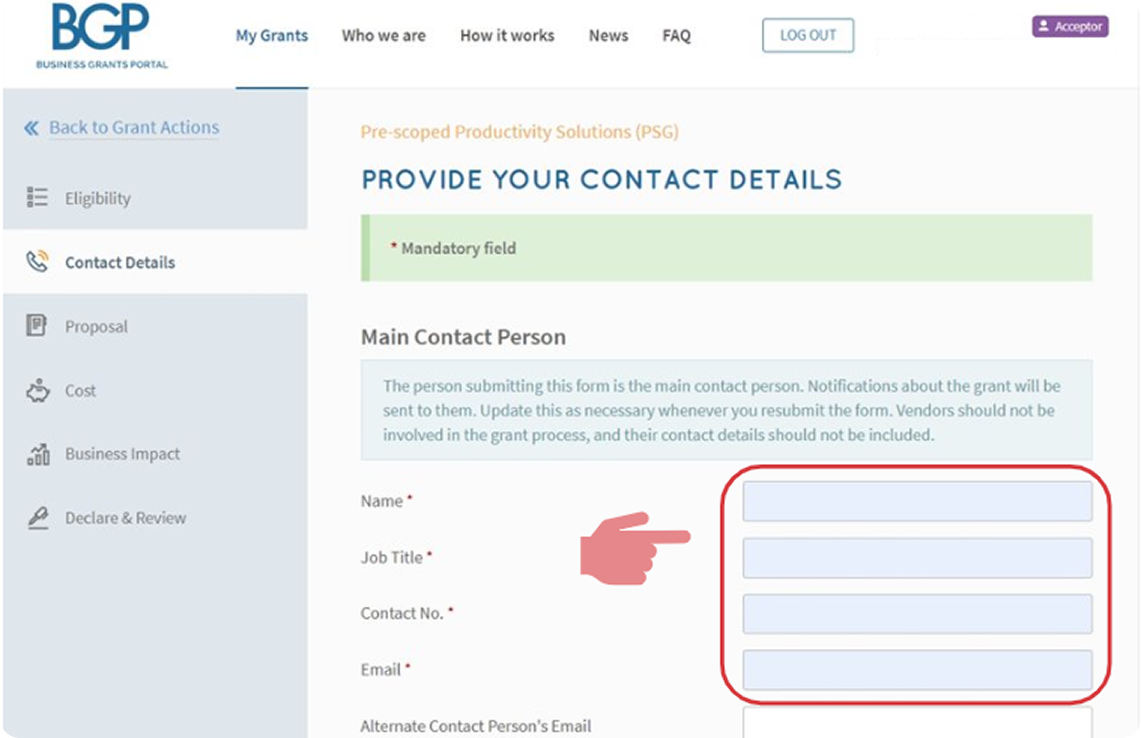
9. Provide contact details (part 1)
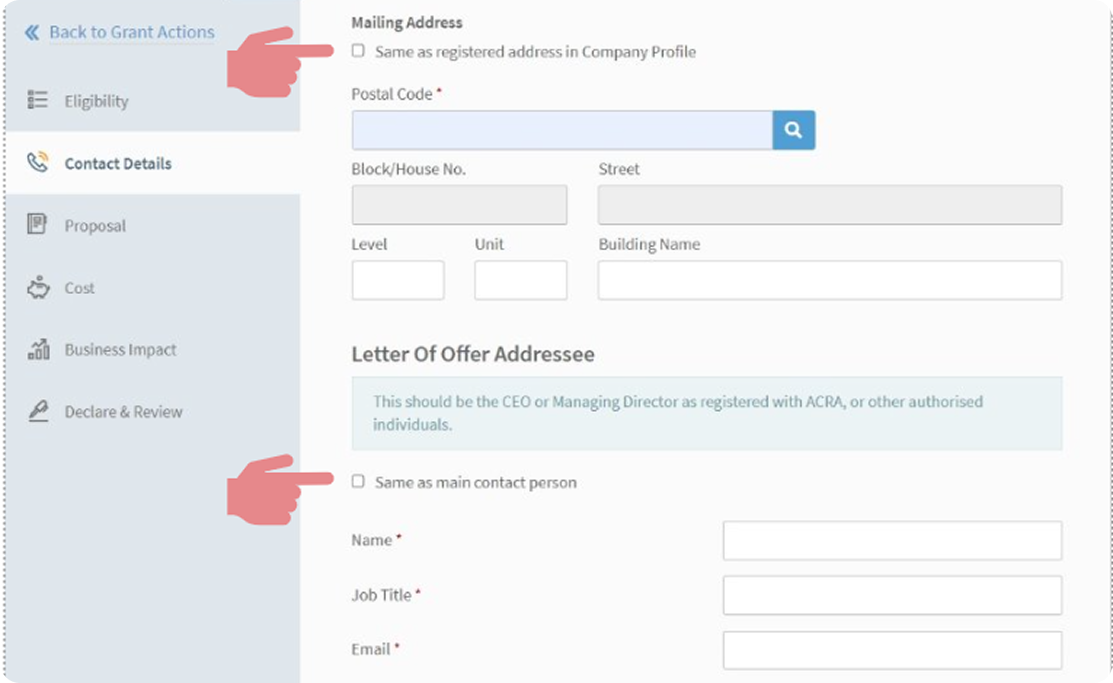
10. Provide contact details (part 2)
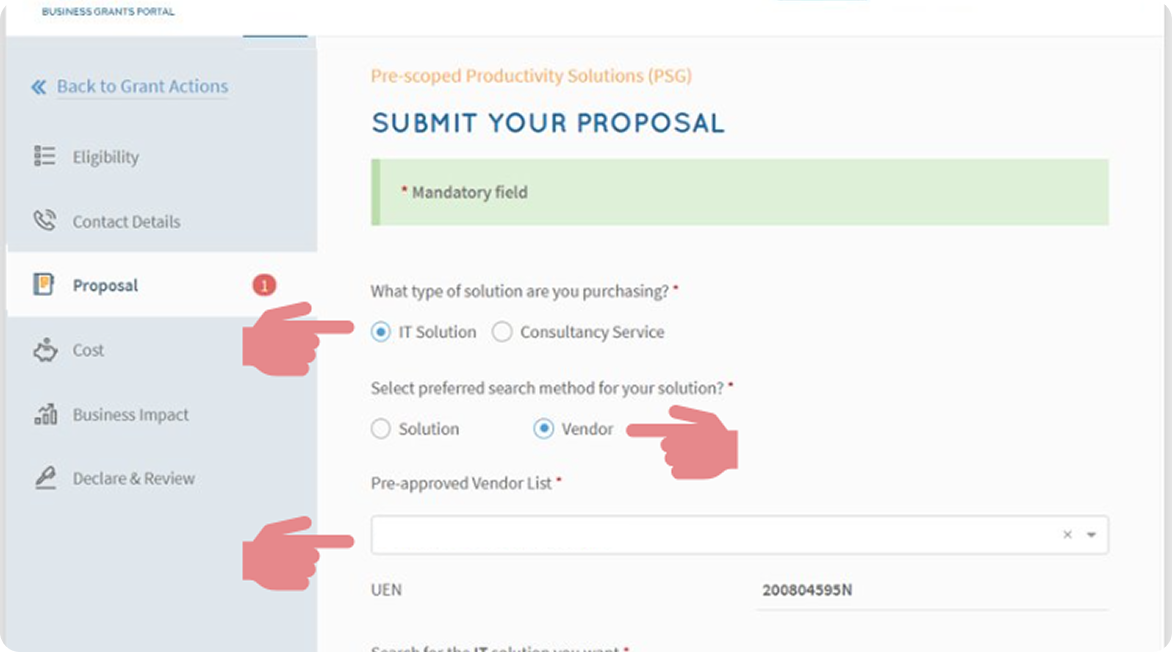
11. Click on "IT Solution"
Click on "Vendors" & Key in “GROUNDUP.AI PTE. LTD.” in search box
Select Solution Name accordingly Disclaimer: Image below is only an example
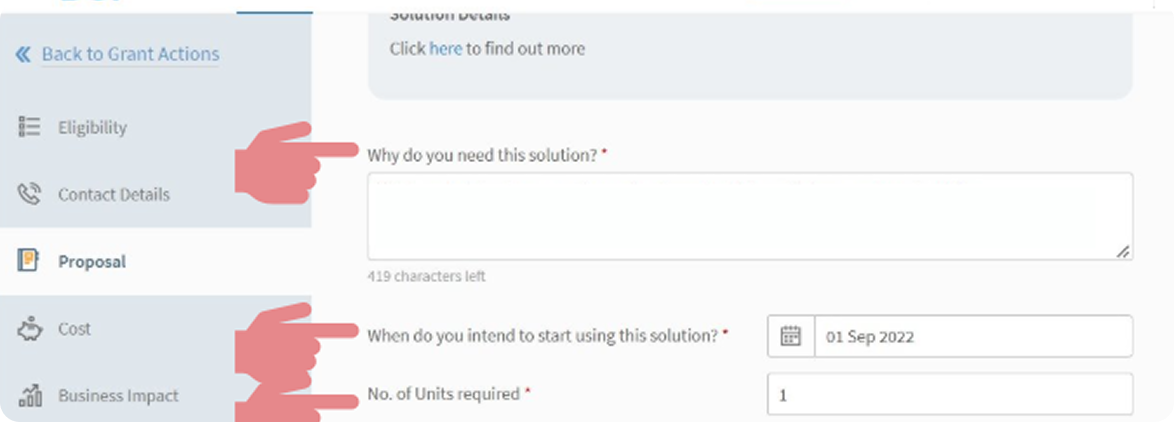
12. Insert the text line as shown
Key in start date (about 1 month from date of application)
Key in no. of units as 1
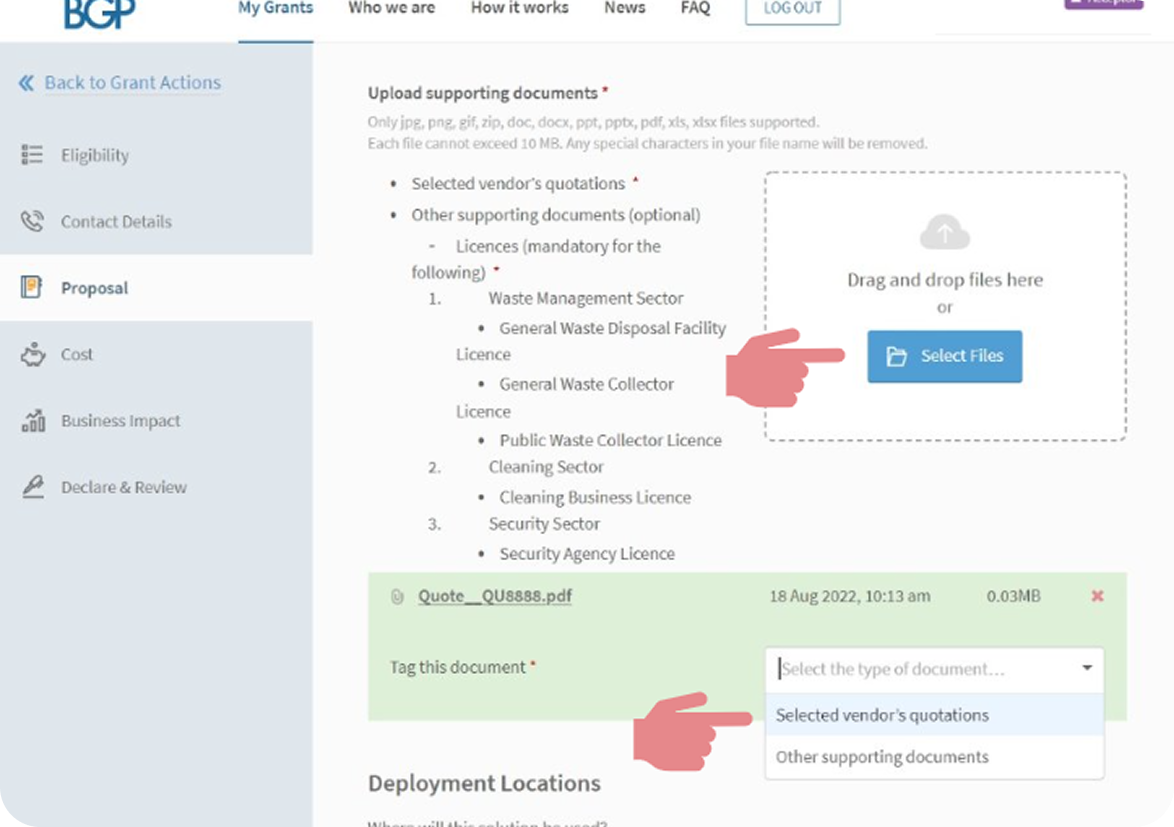
13. Attach and tag vendor’s quotation
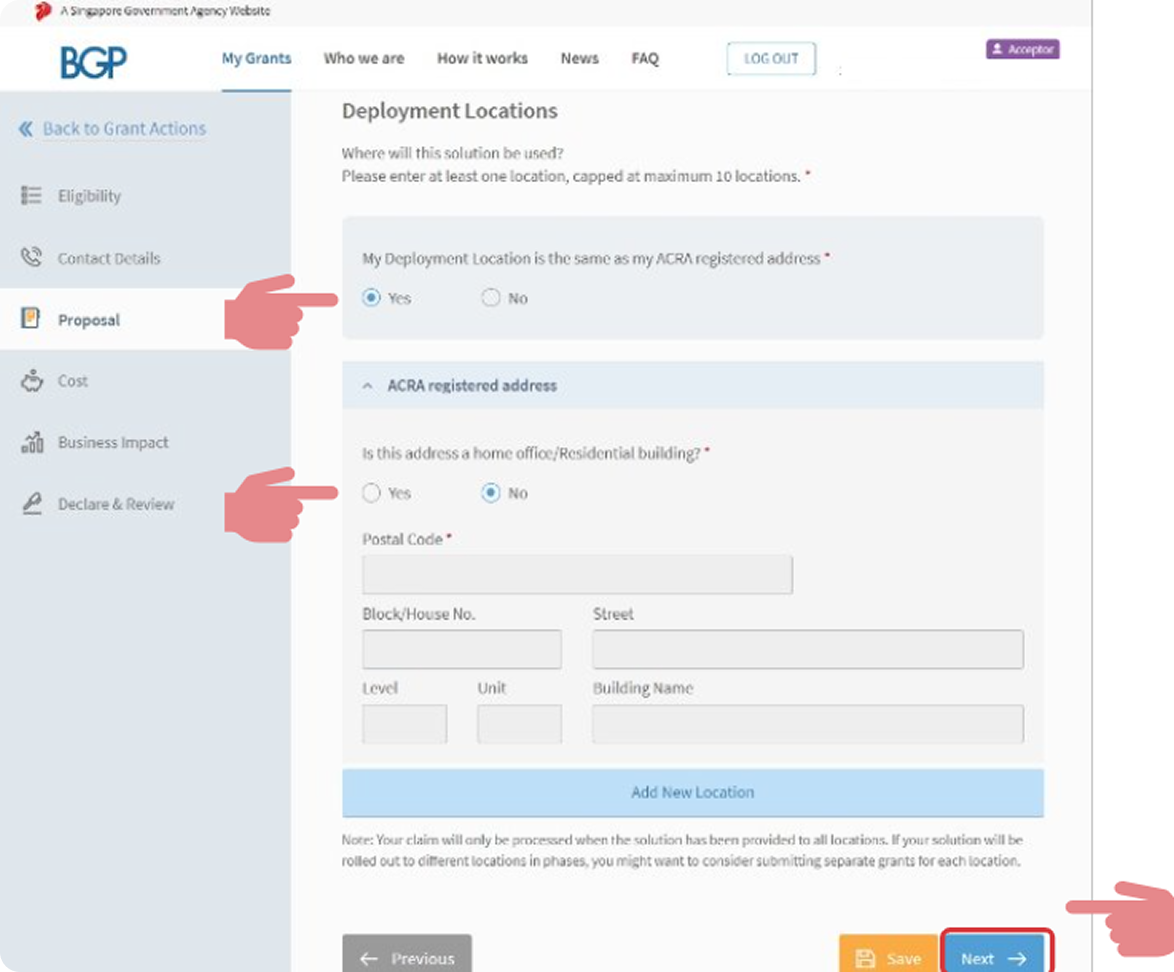
14. Deployment Locations Part 1
If choices are same as shown, proceed to "Next"
If not, scroll down to Deployment Locations Part 2
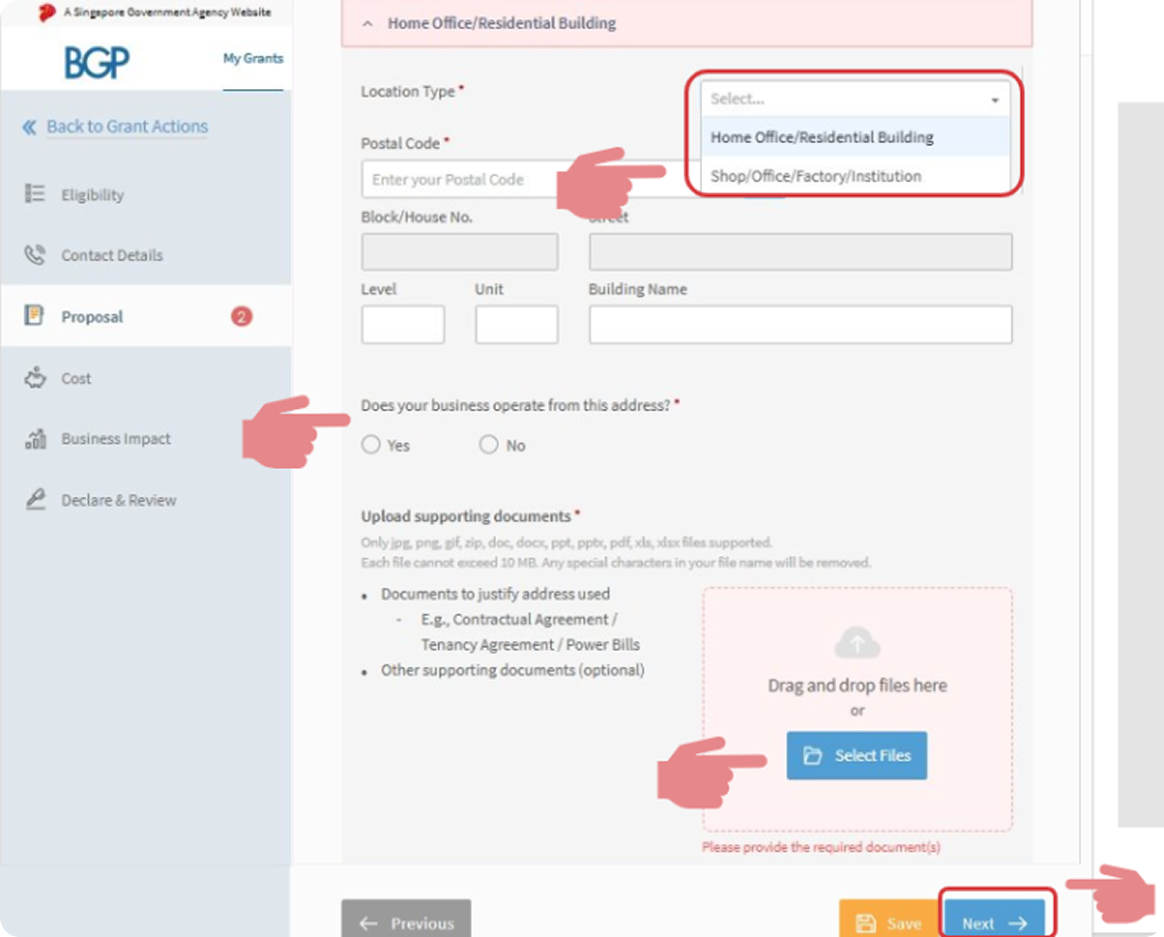
15. Deployment Locations Part 2
Attach and Tag supporting documents e.g. Contractual Agreement, Tenancy Agreement, Power Bills. Then, click "Next" once done
Ignore this page if Deployment Location has been completed in Part 1
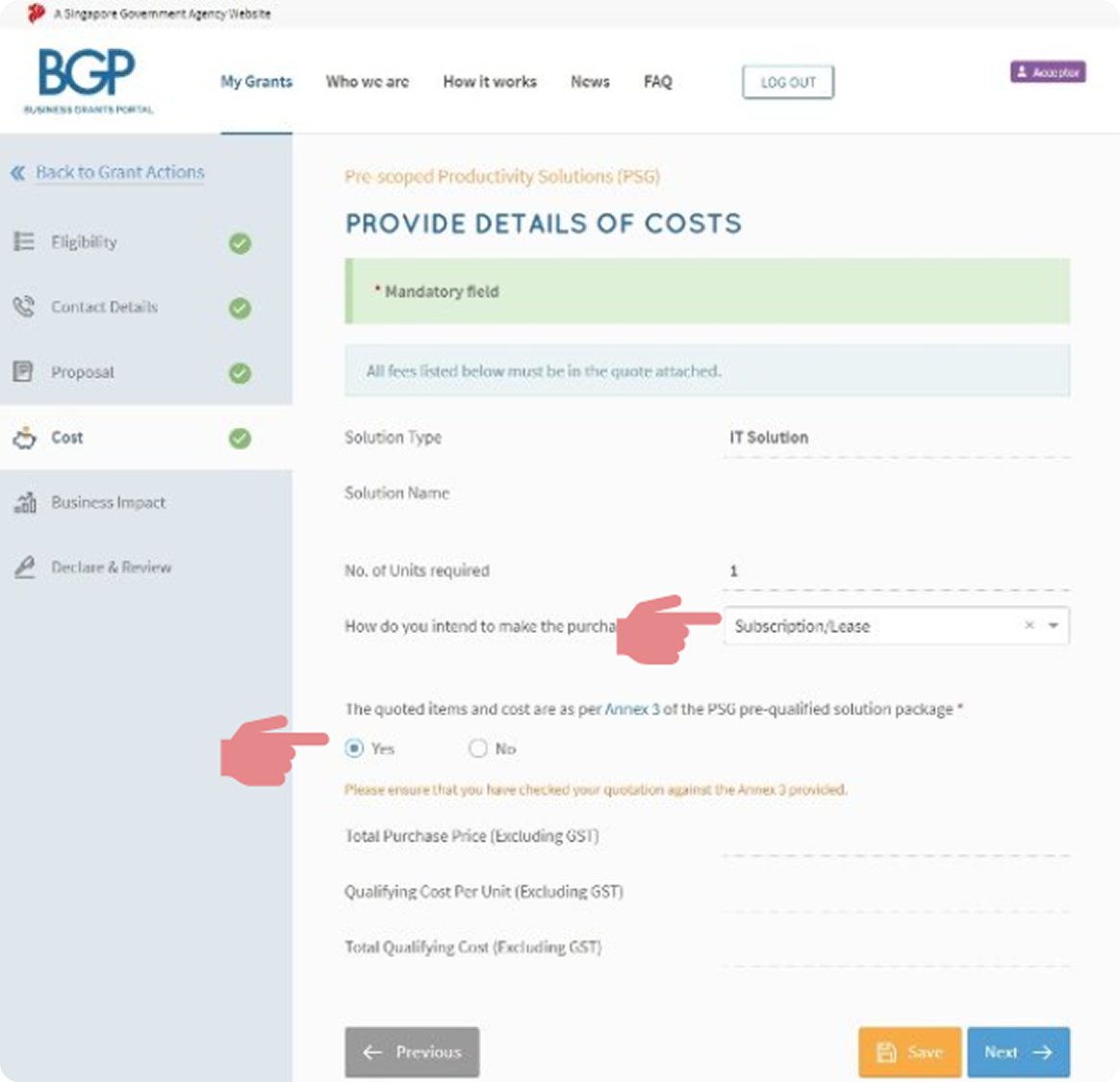
16. Select "Subscription/ Lease"
Note: Cost will auto-populate. Select “Yes” if info is correct Disclaimer: Image below is only an example
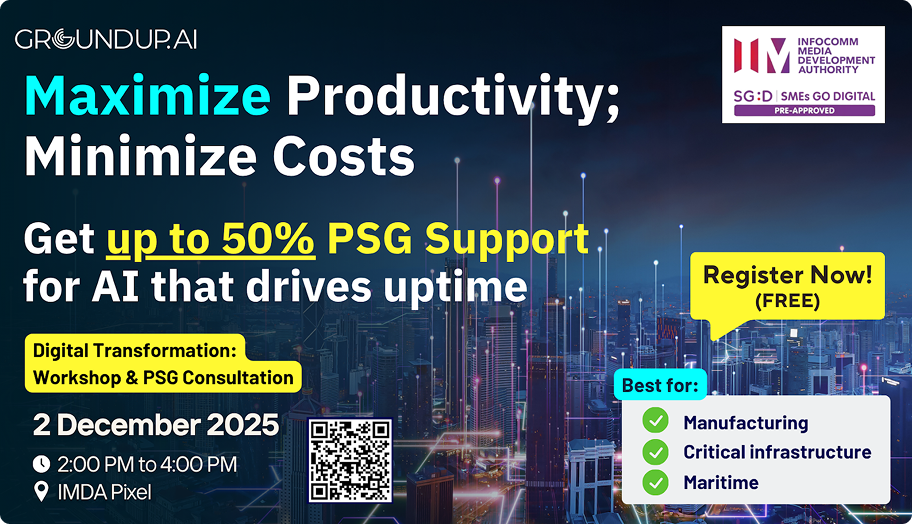
Digital Transformation:
FREE Workshop & PSG Consultation
Zero Downtime, Zero Worries
Unlocking the Uptime Advantage
2 December, 2025
14:00 - 16:00 (SGT)
Venue: IMDA Pixel, 10 Central Exchange Green, Singapore 138649
See Cognitive Maintenance in Action: Live demo of AI-powered dashboard and top tips from our AI experts. Master the PSG: A step-by-step guide to claiming up to 50% of the qualifying costs. Hear Success Stories: Learn from other organizations already benefiting.